
Evening, Good Morning and Afternoon all,
I follow IMSAI Guy on YouTube, a fleeting visitor you might say as so often something worth watching. Well today he posted a couple of things and one was NanoVNA for Windows . Now I'm aware of a few apps out there for NanoVNA's but after watching the vid on this I liked this one. I think its a work in progress but honestly the testing i have done today, i think its pretty good. IMSAI has a GIT repository IMSAI Guy Git.
So he developed this, i'm not going to speculate on how, i don't care if he vibe coded or reversed engineered or did the code ground up, I think its useful and deserves some kudos.
There were a couple of things I needed to address in the code as IMSAI Guy developed this with his NanoVNA -F V3 (1 to 3 GHz) in mind and I own the H4 (1.5) so the sweep was out.
Also if you used Dark Mode on a windows pc as your default the USB Port (Comm Ports) were hidden due to same text and background colours in use.
So I did run his code/python thru Claude AI with information regarding my NanoVNA H4 and in about 5 mins the lines of code were adjusted and my H4 was available with the correct sweep and the USB port (Comm Port) used was visible. I knew the app could see my H4 as i could get device info but nothing showed in comm ports in the app due to the text colouring.
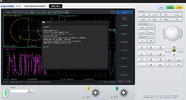
Cosmetically I changed the name along the top to NanoVNA -H4 and shows the sweep and i also included a drop down below the USB port option for choosing the model which is reflected in the name change along the top. This is currently only 2 models, his original and the H4 I added, more could be added.
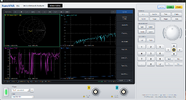
I calibrated in the usual way open, short, load and thru on 1>30mhz sweep, also did a 6db and 10db attenuator on port 2 and did this as DEVICE and as APP to check for accuracy. all looked good.
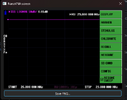
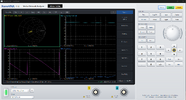
Below some grabs of the original as seen in the vid and then with my customisations and calibrations.
If you have another version of NanoVNA it could probably be added fairly simply.
I follow IMSAI Guy on YouTube, a fleeting visitor you might say as so often something worth watching. Well today he posted a couple of things and one was NanoVNA for Windows . Now I'm aware of a few apps out there for NanoVNA's but after watching the vid on this I liked this one. I think its a work in progress but honestly the testing i have done today, i think its pretty good. IMSAI has a GIT repository IMSAI Guy Git.
So he developed this, i'm not going to speculate on how, i don't care if he vibe coded or reversed engineered or did the code ground up, I think its useful and deserves some kudos.
There were a couple of things I needed to address in the code as IMSAI Guy developed this with his NanoVNA -F V3 (1 to 3 GHz) in mind and I own the H4 (1.5) so the sweep was out.
Also if you used Dark Mode on a windows pc as your default the USB Port (Comm Ports) were hidden due to same text and background colours in use.
So I did run his code/python thru Claude AI with information regarding my NanoVNA H4 and in about 5 mins the lines of code were adjusted and my H4 was available with the correct sweep and the USB port (Comm Port) used was visible. I knew the app could see my H4 as i could get device info but nothing showed in comm ports in the app due to the text colouring.
Cosmetically I changed the name along the top to NanoVNA -H4 and shows the sweep and i also included a drop down below the USB port option for choosing the model which is reflected in the name change along the top. This is currently only 2 models, his original and the H4 I added, more could be added.
I calibrated in the usual way open, short, load and thru on 1>30mhz sweep, also did a 6db and 10db attenuator on port 2 and did this as DEVICE and as APP to check for accuracy. all looked good.
Below some grabs of the original as seen in the vid and then with my customisations and calibrations.
If you have another version of NanoVNA it could probably be added fairly simply.