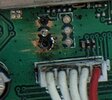
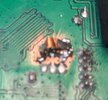
Iv'e been trying to patch up a new to me 955.
The 1st things I noticed were the Frequencies being out 1khz in all modes and bands, it displayed correctly but would need clairified to transmit properly. I was able to figure out and use the "BFO" and 'VFO" settings to fix that.
Then noticed the USB still sounded very thin and stringy, It was on frequency and a 1khz tone on 27.405 was verified at 27.406, I adjusted USB BPF from 255 to 000 to fix this while watching a 2 tone signal at the 0V crosspoint on the scope, 000 was as tight as it gets and sounds way better.
Next was the AM which looked like boxes with strings between them on the scope, I used AM H and L power along with AM H and L MOD to correct. Anything above 30 or so AM watts flat tops (Not Impressed, I have puny single MOSFET swapped PC66s with more clean oomph). I noticed that the setting was different after exiting the settings menu and that the whole radio was almost hot enough to cook with, so I'm guessing that temp/current limiting might be disabled while in the menu, causing the change.
The meter indication is wrong in both TX & RX. I made TX closer in AM, but forgot which settig I used (something with RSSITX ? IDK...)
I found a video on youtube, describing the bias adjustment procedure which I hope helps the temperature issue. But, it's on youtube so it might be a made up BS...lol.
I'd like to verify "alignment" of each setting before I put this radio into service. The S meter, and not knowing if everything is centered are going to be in the back of my head and drive me nuts.
This is my 1st menu adjusted radio, and it's definetly out of whack.
Does anyone have the procedures for each of the menu Items? If so, Would you share them? Or, a link or file.
A few searches here were useful, but yeild incomplete information.
All of the information I find online is incomplete and instead of explaining what something in the menu is, they'll just say, "Dont Touch That". The problem is, I need to "Touch That" or at least "Check That" because I don't know what was fiddled with by the last owner.........
I've already emailed Stryker and only get usless automated responses that have nothing to do with what I asked for. Not having the correct reference info is real frustrating.
The 1st things I noticed were the Frequencies being out 1khz in all modes and bands, it displayed correctly but would need clairified to transmit properly. I was able to figure out and use the "BFO" and 'VFO" settings to fix that.
Then noticed the USB still sounded very thin and stringy, It was on frequency and a 1khz tone on 27.405 was verified at 27.406, I adjusted USB BPF from 255 to 000 to fix this while watching a 2 tone signal at the 0V crosspoint on the scope, 000 was as tight as it gets and sounds way better.
Next was the AM which looked like boxes with strings between them on the scope, I used AM H and L power along with AM H and L MOD to correct. Anything above 30 or so AM watts flat tops (Not Impressed, I have puny single MOSFET swapped PC66s with more clean oomph). I noticed that the setting was different after exiting the settings menu and that the whole radio was almost hot enough to cook with, so I'm guessing that temp/current limiting might be disabled while in the menu, causing the change.
The meter indication is wrong in both TX & RX. I made TX closer in AM, but forgot which settig I used (something with RSSITX ? IDK...)
I found a video on youtube, describing the bias adjustment procedure which I hope helps the temperature issue. But, it's on youtube so it might be a made up BS...lol.
I'd like to verify "alignment" of each setting before I put this radio into service. The S meter, and not knowing if everything is centered are going to be in the back of my head and drive me nuts.
This is my 1st menu adjusted radio, and it's definetly out of whack.
Does anyone have the procedures for each of the menu Items? If so, Would you share them? Or, a link or file.
A few searches here were useful, but yeild incomplete information.
All of the information I find online is incomplete and instead of explaining what something in the menu is, they'll just say, "Dont Touch That". The problem is, I need to "Touch That" or at least "Check That" because I don't know what was fiddled with by the last owner.........
I've already emailed Stryker and only get usless automated responses that have nothing to do with what I asked for. Not having the correct reference info is real frustrating.
Last edited:

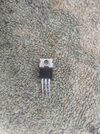
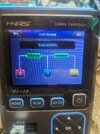

 .
.