

Elecraft has published a KPA1500 remote host and control app for Windows since the amp was released. The benefit of this app is that it allows you to specify secure credentials for connecting to, controlling, and monitoring the amp. By itself, the amp has a full remote control capability, but it offers no native security. The windows app solves that. Unfortunately, the app has always only ever existed for Windows with no public plans from Elecraft to provide anything else. So I decided to address that.
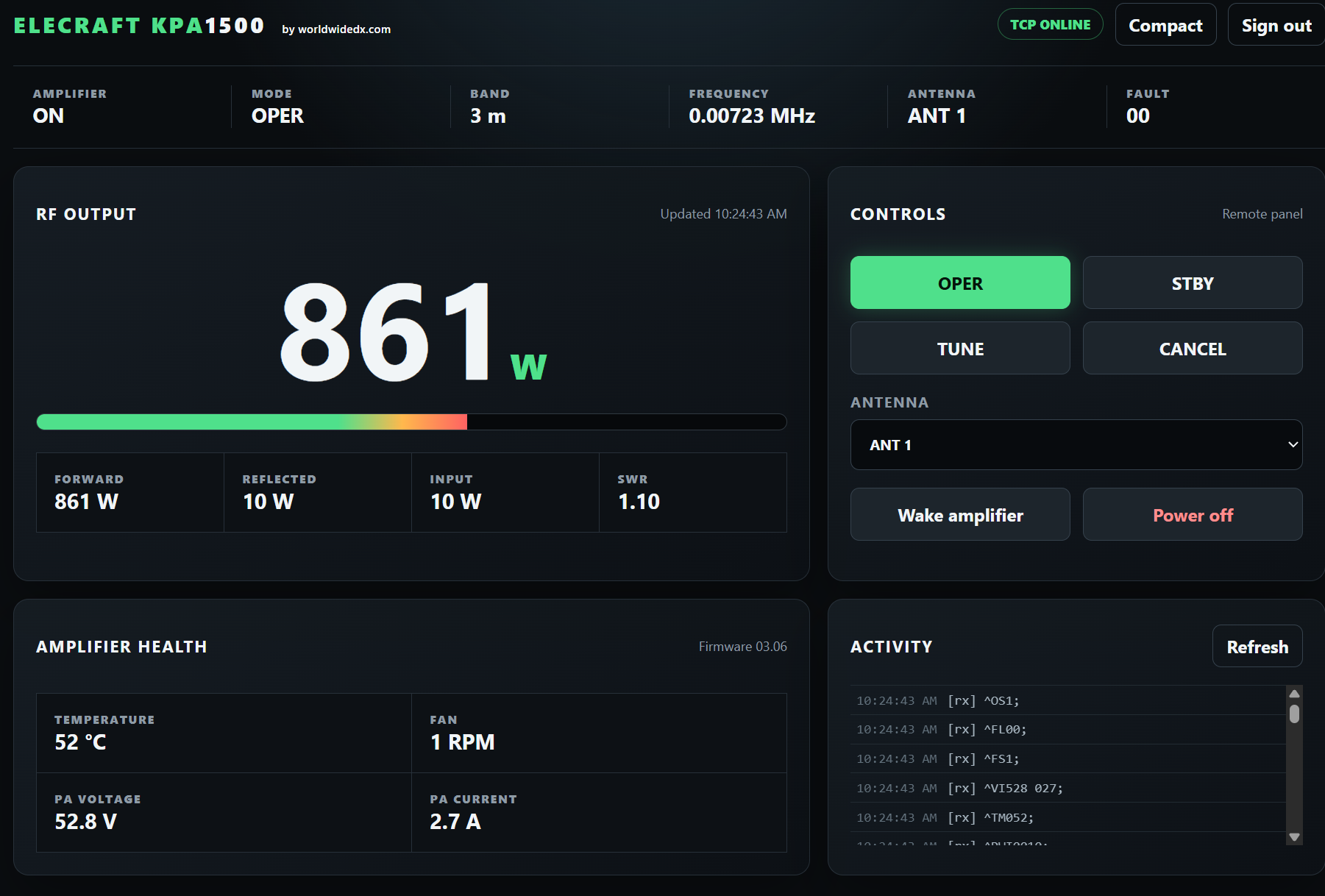
Today I'm releasing an remote control host and web app I built that runs on the Raspberry PI. After installation it places a shortcut on the PI desktop for full configuration of the remote host settings, just like the Elecraft Windows app. Configuration is fairly obvious: Specify the connection details - either IP address or Serial port. If you have a DNS host name, you can use that, or configure DynDNS and put that in the same field. You can/should configure a one-time public CA certificate which you can store in a cloud account somewhere for installation on your other PC, phones, tablets, etc. The host will work find and the transport is secure without this certificate, but your browser will issue a warning. Configure the port forwarding on the router and you're in business! Now you can control your KPA1500 amp over the web from anywhere without additional software!
I've included both the distribution package for download, as well as the source code in case anyone wants to compile for a different distro. If you have any questions, or run into any issues, let me know.
Today I'm releasing an remote control host and web app I built that runs on the Raspberry PI. After installation it places a shortcut on the PI desktop for full configuration of the remote host settings, just like the Elecraft Windows app. Configuration is fairly obvious: Specify the connection details - either IP address or Serial port. If you have a DNS host name, you can use that, or configure DynDNS and put that in the same field. You can/should configure a one-time public CA certificate which you can store in a cloud account somewhere for installation on your other PC, phones, tablets, etc. The host will work find and the transport is secure without this certificate, but your browser will issue a warning. Configure the port forwarding on the router and you're in business! Now you can control your KPA1500 amp over the web from anywhere without additional software!
I've included both the distribution package for download, as well as the source code in case anyone wants to compile for a different distro. If you have any questions, or run into any issues, let me know.
Attachments
Last edited:
