

You are using an out of date browser. It may not display this or other websites correctly.
You should upgrade or use an alternative browser.
You should upgrade or use an alternative browser.
-
You can now help support WorldwideDX when you shop on Amazon at no additional cost to you! Simply follow this Shop on Amazon link first and a portion of any purchase is sent to WorldwideDX to help with site costs.
-
Retevis is giving away THREE radios for their 16th Anniversary! Click Here to enter!
Sams PhotoFacts Collection
- Thread starter danmcclain
- Start date

Hey Dan, I was trying to look closely at the pics and schematics of this post you put up but the compression of the JPG to PDF is so high that ehen you blow up the images, its way too blury to see. Is there a chance that you can redo this to a lower compression and larger file size so that the images will be as legible as the ones you've put up before?
I've scanned them the way I've always scanned them... 300 dpi. I wonder if it's getting worn out, I've scanned quite a bit in the past couple years.Hey Dan, I was trying to look closely at the pics and schematics of this post you put up but the compression of the JPG to PDF is so high that ehen you blow up the images, its way too blury to see. Is there a chance that you can redo this to a lower compression and larger file size so that the images will be as legible as the ones you've put up befI've
300dpi is ok. 600 is way better for enlarging images. When you scan are you saving them as JPG or directly to PDF? Check the compression ratio. It could be set too high. Every other PDF I've gotten from you is much larger in file size and blows up perfectly even on my phone. These are very low quality. Try opening 1 of them up on your phone and blowing it up. You'll see what I mean.I've scanned them the way I've always scanned them... 300 dpi. I wonder if it's getting worn out, I've scanned quite a bit in the past couple years.
I don't think your scanner is wearing out. If it was then the images would all be staggered or garbled.
I'll try 600 dpi... Saving them as PDF files. I'll check the compression ratio too...300dpi is ok. 600 is way better for enlarging images. When you scan are you saving them as JPG or directly to PDF? Check the compression ratio. It could be set too high. Every other PDF I've gotten from you is much larger in file size and blows up perfectly even on my phone. These are very low quality. Try opening 1 of them up on your phone and blowing it up. You'll see what I mean.
I don't think your scanner is wearing out. If it was then the images would all be staggered or garbled.
Most likely the compression ratio when you save the file. On the average, your files have been around 5 to 10 mb. These were all around 1 mb or lower. Highly compressed. Makes smaller file sizes but takes all the detail out when enlarging which is what we need to do to see close up oarts and values. Thanks DanI'll try 600 dpi... Saving them as PDF files. I'll check the compression ratio too...
600 dpi takes twice as long to scan a page and can't find a compression setting anywhere...Most likely the compression ratio when you save the file. On the average, your files have been around 5 to 10 mb. These were all around 1 mb or lower. Highly compressed. Makes smaller file sizes but takes all the detail out when enlarging which is what we need to do to see close up oarts and values. Thanks Dan
I t just says standard compression...600 dpi takes twice as long to scan a page and can't find a compression setting anywhere...
Yes. It takes lonnger. Let me show you what 2 different schematics look like when I blow them up. I'll screeshot them and putvthem up in a few. Theyvwill be blown upbto the largest size that I can do on my phone...600 dpi takes twice as long to scan a page and can't find a compression setting anywhere...
Here is a regular size and a blow up of the 132-135 you recently sent...I t just says standard compression...
Attachments
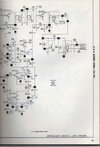
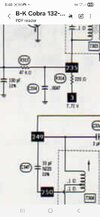
Here is a previous schematic you put up for me. Notice the difference when you click on them and blow them up. Maybe your standard compression is modifiable?Yes. It takes lonnger. Let me show you what 2 different schematics look like when I blow them up. I'll screeshot them and putvthem up in a few. Theyvwill be blown upbto the largest size that I can do on my phone...
Attachments
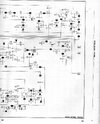
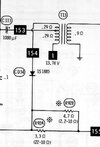

I don't believe SAMS covered any exports.How about SuperStar SS-800 ?

Some how the processing got changed from PDF to JPEG on the printer itself, changed it back to PDF. These files should work better...Here is a previous schematic you put up for me. Notice the difference when you click on them and blow them up. Maybe your standard compression is modifiable?