

Tidradio recently contacted me and asked if I would take a look at their new TD-H3 Plus that just came out. This is an upgraded version of the TD-H3 which I reviewed last year that features a new user interface, bluetooth, faster processor, USBC programming and updateable firmware. Tidradio sent me one radio to evaluate, but since this radio also includes a new SMS texting feature, I purchased another to test that as well.
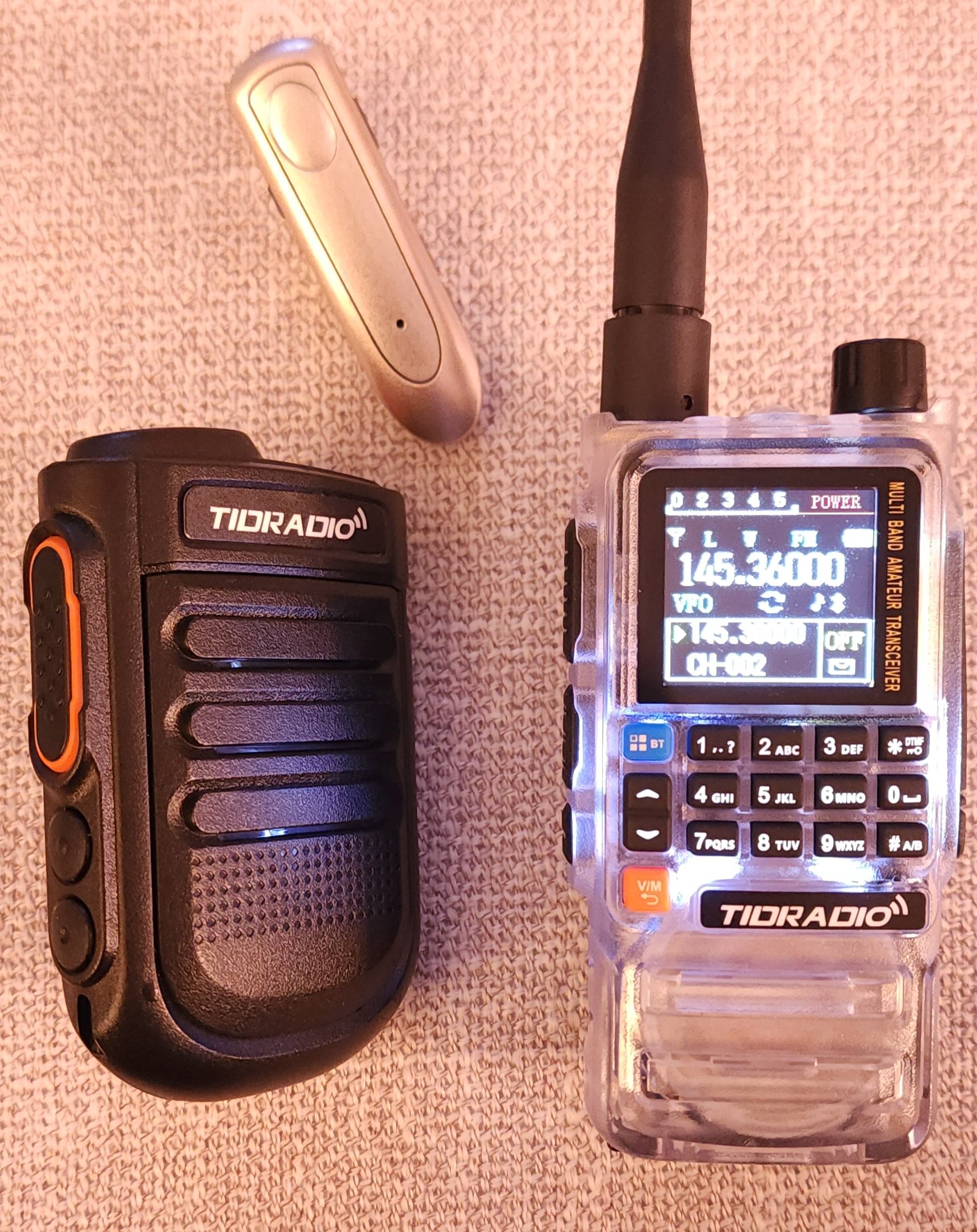
Pictured in the above photo is the new TD-H3 Plus ,a bluetooth handheld speaker mic and a bluetooth headset speaker mic. The radio has two USBC ports, one on the bottom of the battery for charging, and one below the microphone input, which is used for programming. Tidradio has put a lot of effort into the new menu experience to make it easy to understand, which a refreshing change from other inexpensive radios.
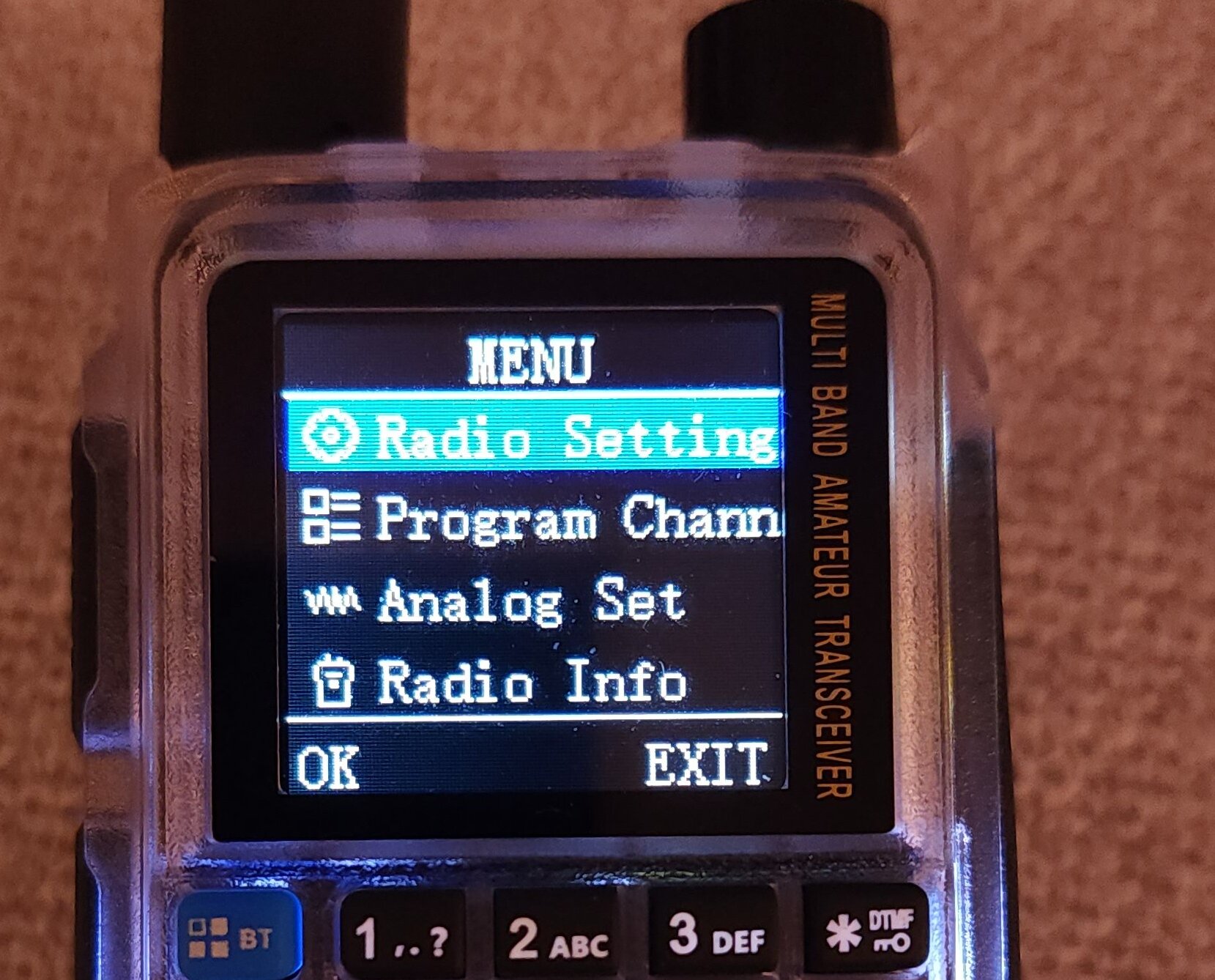
Here are a couple of photos of the new menu system.
Main Menu:
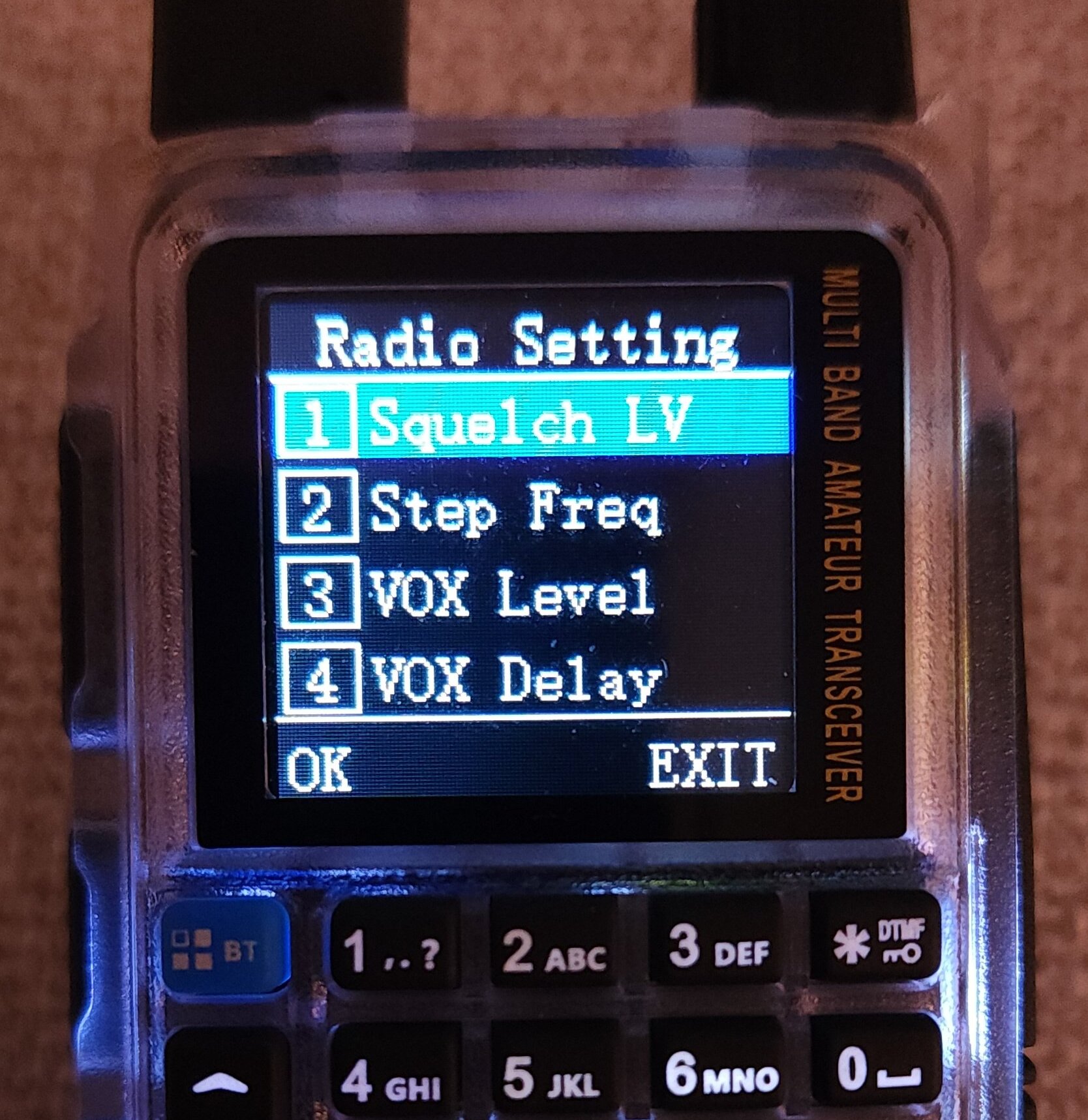
Radio Settings Menu:
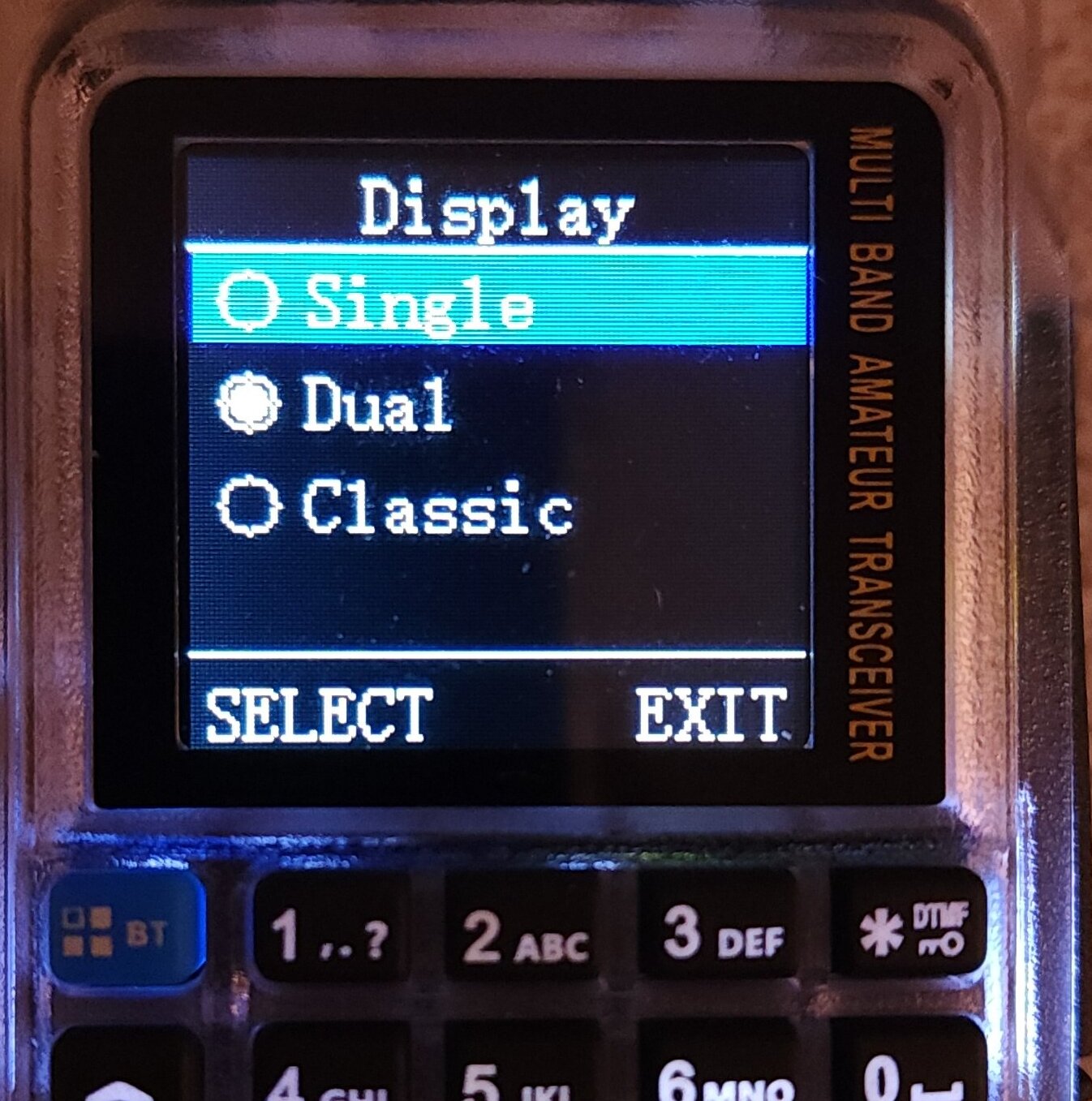
The TD-H3 Plus display setting defaults to the new "Dual" VFO setting. You can change it to the "Classic" display, which is the same as the older TD-H3, or you can select the Single VFO mode.
The "Single" mode has an interesting issue, which I've reported to Tidradio and I'll get to in a sec. But first, it's important to understand that like the TD-H3, the new Plus model has two programmable buttons on the side of the radio, below the PTT. From the factory, the button called "PF1" (the first one below the PTT) is set to act as PTT for VFO B. You can change how both of these buttons work for short or long press in the radio settings. The Display issue is when you have the radio configured for "Single" Display mode and the PTT buttons such that the big PTT is VFO A and the button below the main PTT is VFO B. Now if you change the active VFO to B and then put the Display mode into "Single", VFO B is displayed. However if you press the main PTT, it still transmits VFO A. With other radios, if you put it into Single band mode, the main PTT only activates the displayed VFO. I think the TD-H3 Plus should be changed to work the same as other radios.
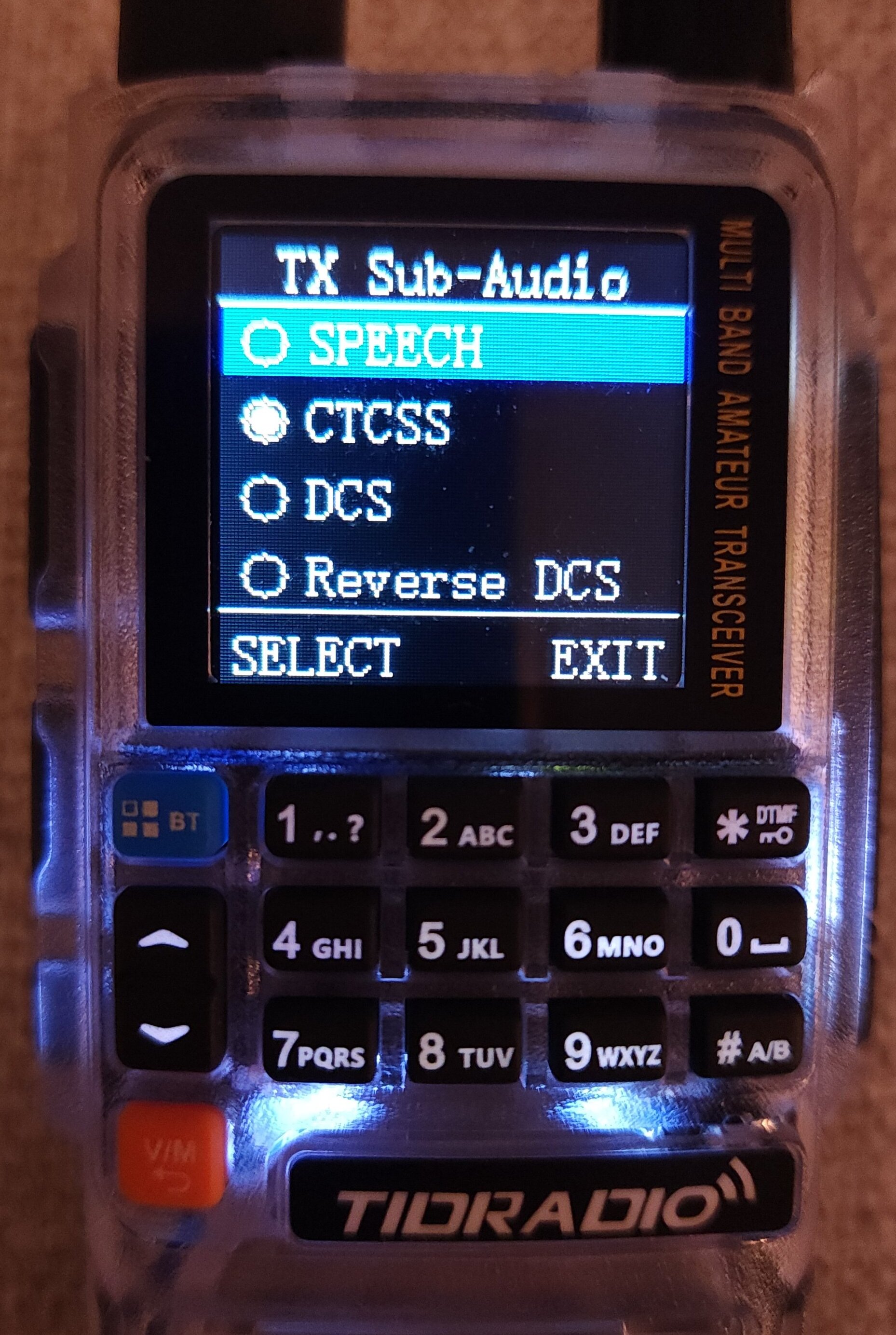
Back to the subject of how much effort has been put into make the menu system easy, here is an example of the revamped transmit sub-audio menu:
Bluetooth Features
Bluetooth in the TD-H3 is used in a variety of ways, including speaker/mic accessories. As of the time of this writing, only Tidradio bluetooth speaker/mics work, although there may be plans to expand the supported brands and types of devices as firmware is updated. Pairing and using the bluetooth for normal communications is easy enough, although there is a slight audio delay between the bluetooth device and the radio, which is perceptible if you turn the volume on the radio up at the same time the bluetooth device is active. This isn't a big deal for casual conversation between a couple of stations or on a directed net, but it is not very useable on an extremely busy, free-for-all repeater like we have here in Southern California. Tidradio has already released one firmware update that helped reduce the delay, but I'm not sure how much else it can be improved.
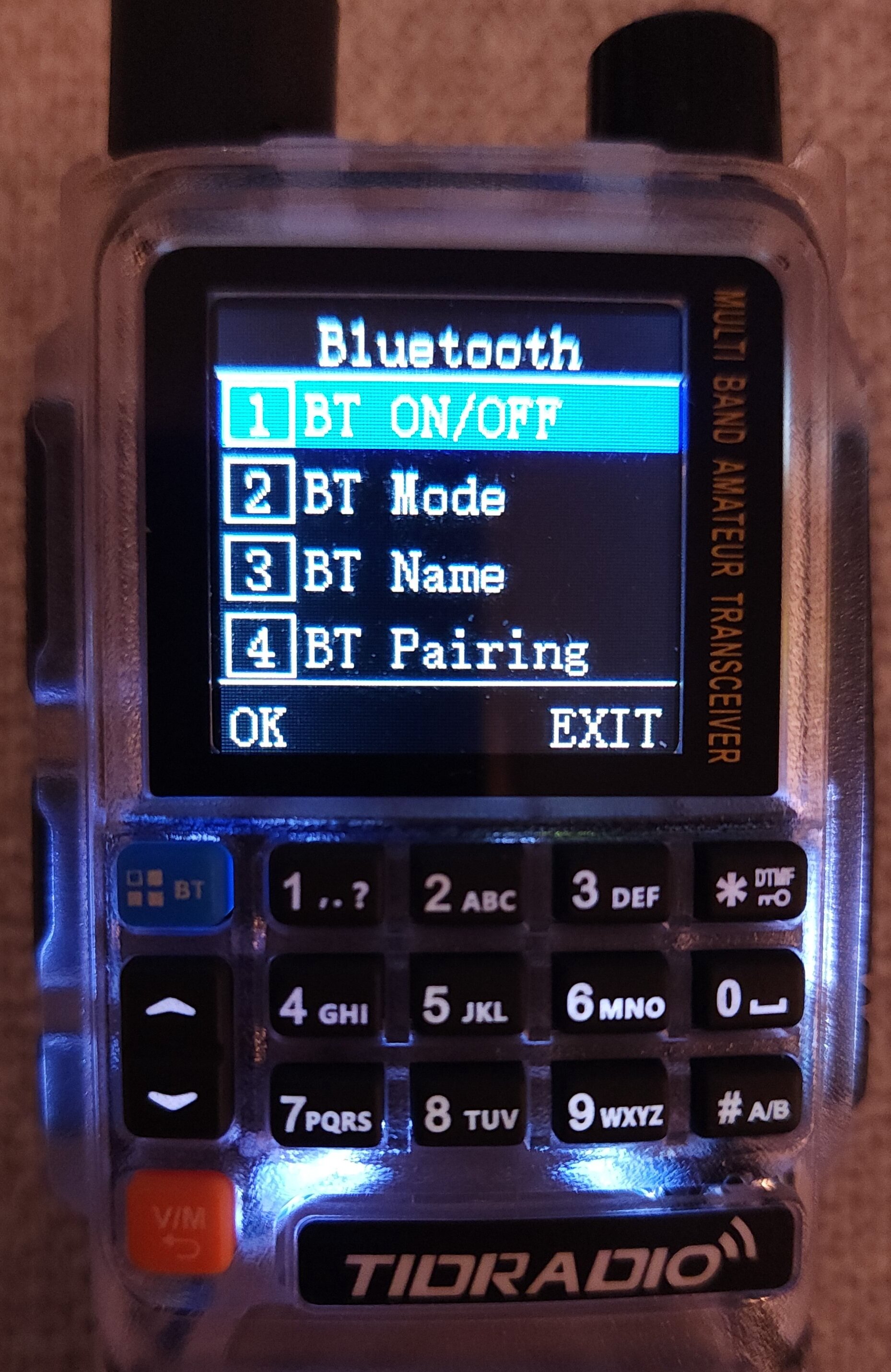
Another interesting bluetooth feature is the ability to use the radio with the Odmaster app, not just for programming (which is easy) but also to TX/RX over the internet to other Tidradio users who have radios with the same feature. This feature is similar to a Tidradio-specific allstar or echolink protocol. I was able to test connecting the radio to the Odmaster app in this bluetooth mode, but I wasn't really able to test further as I don't know anyone else with one of these radios to connect with. If a forum member decides to buy one of these and try it out, let me know.
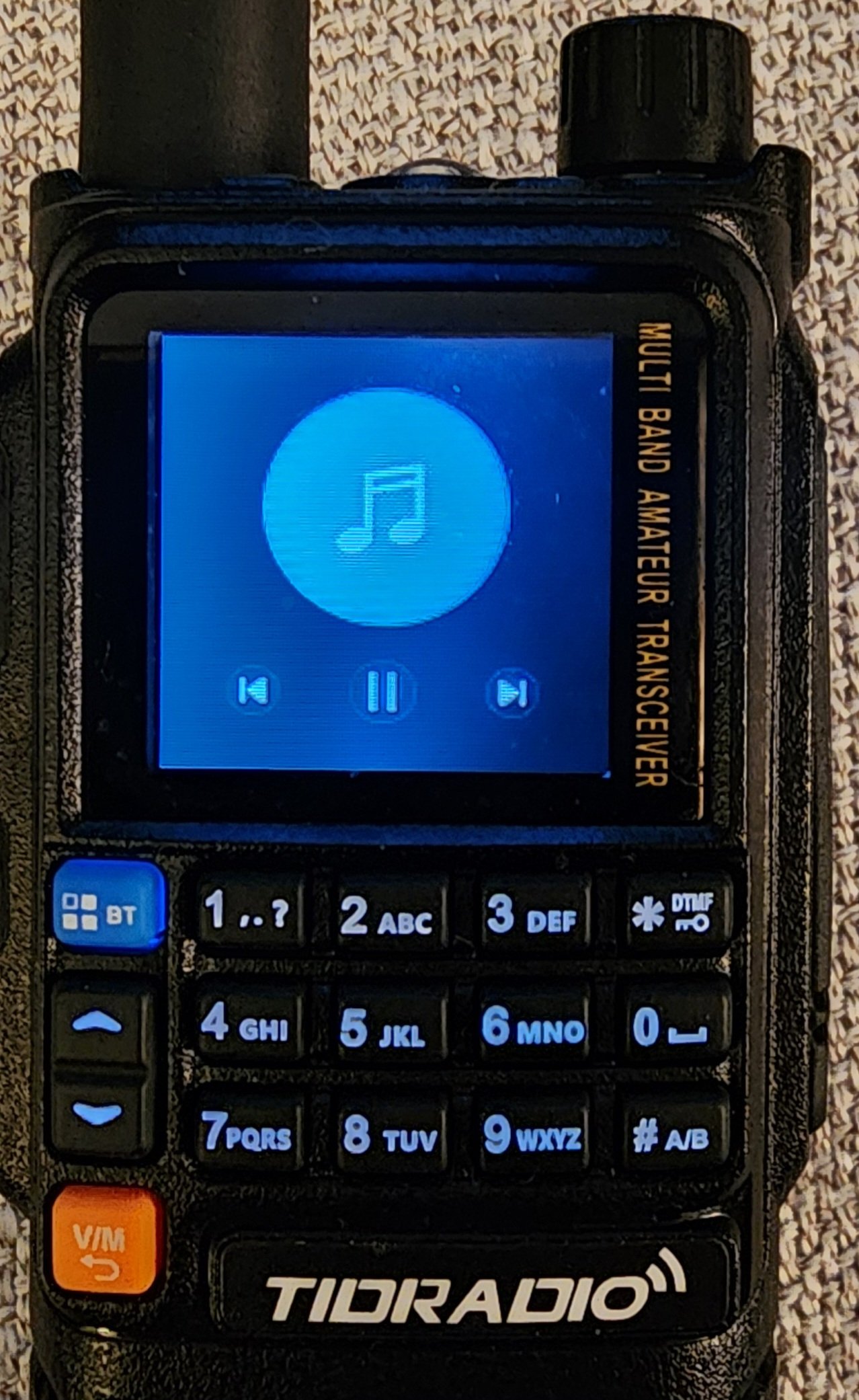
Bluetooth also allows you to use this radio (or one of the bluetooth accessories) as a speaker for streaming from your phone or other device. I'm not sure why you would want to do this, but you can and it works. This pic shows the radio acting as a bluetooth speaker while I'm streaming music:
Spectrum Waterfall / Scan
In a recent firmware update, Tidradio added a spectrum waterfall that you can use with the internal scan function.

For best results, you should adjust the Step Frequency, Threshold, and Bandwidth to make it work as you like it. Since the spectrum waterfall / analyzer is a subset of the scan frequency, the RX will jump around to the active stations specified by the bandwidth and threshold. Here's another pic where you can see a few different stations showing up as little peaks on the spectrum:

The user manual may not be updated yet with the spectrum analyzer functions so I've included them:
Spectrum Analyzer Key Description
↑ Move the cursor left
↓ Move the cursor right
Long-press ↑ to continuously move the cursor left
Long-press ↓ to continuously move the cursor right
# Jumps cursor to peak signal
* Toggles cursor display/hide
Press the PTT: Tunes to the cursor frequency and monitors
Release the PTT: Stops monitoring and resumes scanning
Number keys 0-9: Enter center frequency
Press and hold the 2 key: Increase RSSI threshold
Press and hold the 8 key: Decrease RSSI threshold
Orange key BACK: Exit spectrum analyzer or exit input mode
Blue key BT MENU: Enters spectrum analyzer menu settings
SMS Texting over RF
Another new feature included in the TD-H3 Plus is the ability to send and receive SMS messages over RF to other TD-H3 Plus radios. When you turn on SMS, you get a warning that it only works with Dual Watch turned off but it won't actually turn it off for you (so don't forget to do that). Sending a text message is like using an old flip cell phone from the 90's - you use the numbers to key in the message. You can set a "Recipient" in addition to composing the message. Since this is just a broadcast message, any other radios in range will get the message, but they can see who it is addressed to. There is an Inbox where messages are stored, and you can quickly reply, forward, or delete the message. Here's a pic of what it looks like when the radios are transmitting and receiving SMS:
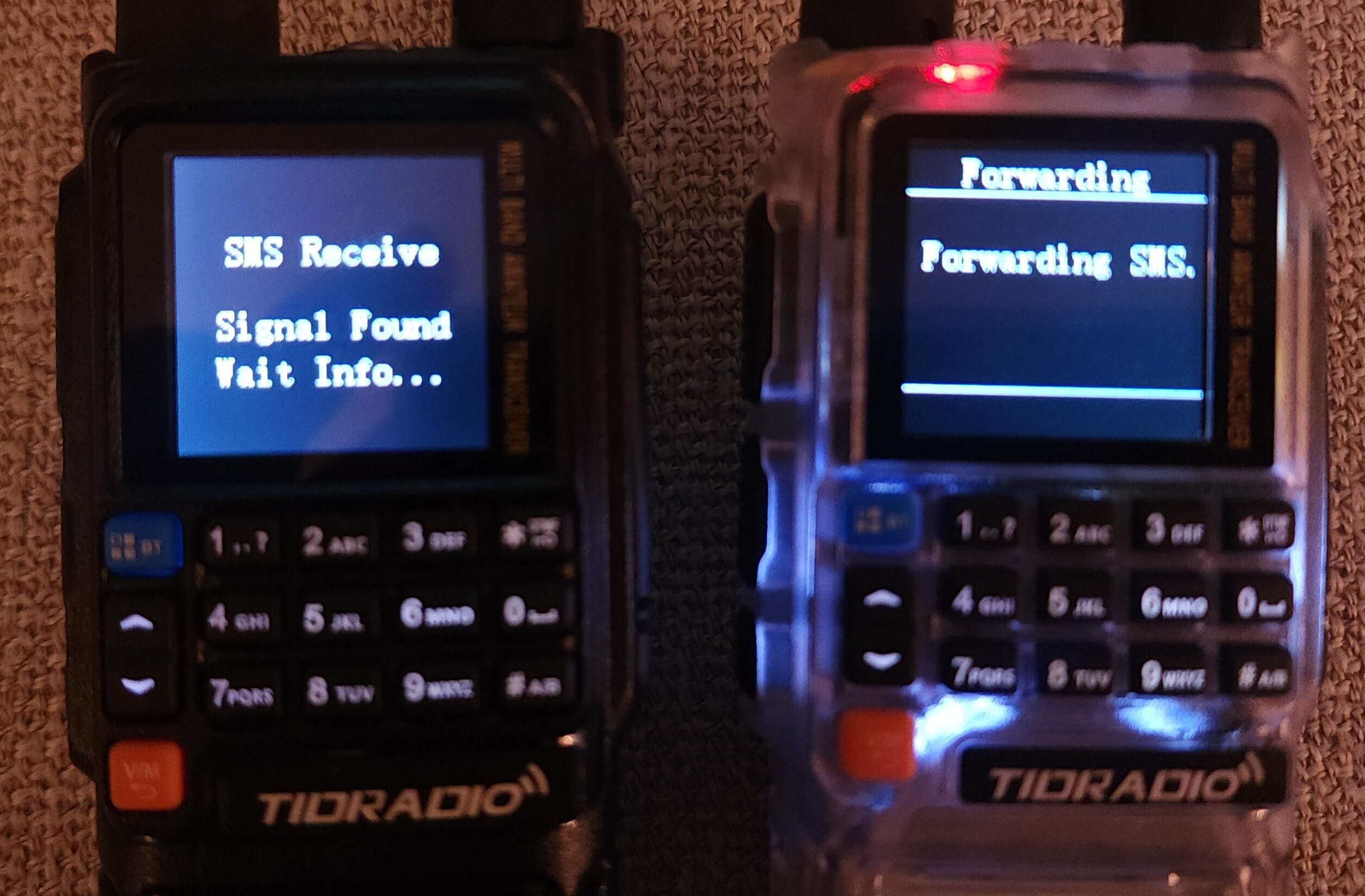
Once the receiving radio detects the incoming message, it displays a new "Receiving" message:
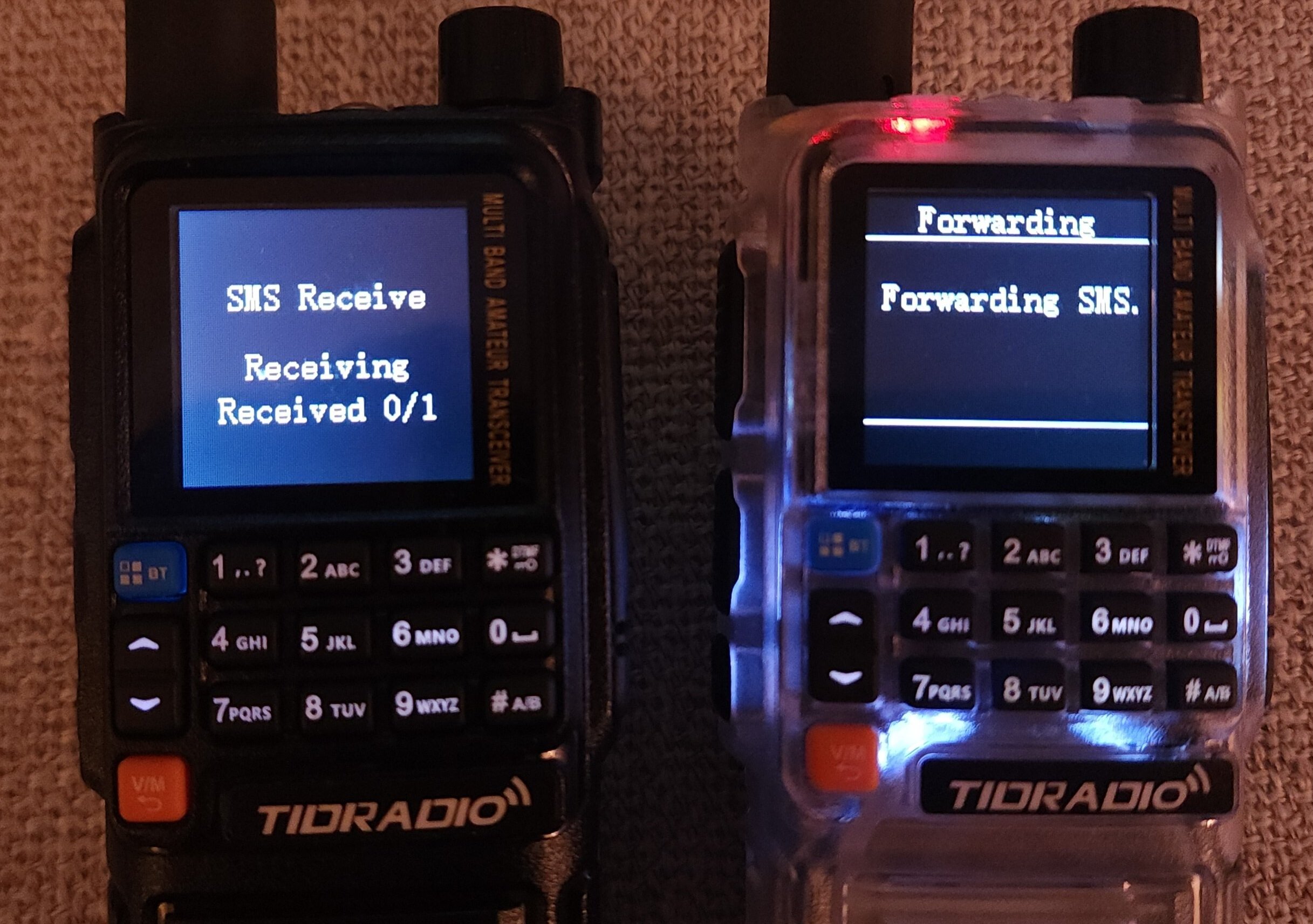
And once the process is completed, the message is in the inbox for reading:

One feature missing as of this writing is any type of notification that you received a message if you weren't look at the radio. While it displays the message about receiving, when complete it just goes back to the main screen. It needs to beep, or flash one of the lights, or do something to let you know that a message was received, just like the old phones or pagers did. I could not get the message to work through a repeater. Watching the SMS transmit signal on SDRSharp, I didn't see any PL tone sent along with the transmitted signal, which would explain why.
Summary
The Tidradio TD-H3 Plus retains all of the features of the first model including the ability transmit and receive on the core 2m/70cm bands it's intended for but also 220 Mhz, 350 Mhz, and 500 Mhz. Remember, testing has shown that the radio doesn't meet the spectral purity requirements on most of those other bands. It can also RX AM air band. The radio doesn't have an IP rating and the manual recommends that you don't get it wet. Programming and saving settings/memories with the ODMaster app couldn't be easier. If you happen to get one of these radios with a very early firmware version, make sure to update it right away. The early firmware and CPS software versions made updating the radio an "adventure" due to the way the software saw the USB ports (it was VERY picky about USBC cables), but as the software & firmware has been refined, the process has become smooth. Tidradio says that they plan to do monthly firmware releases and are looking for feature ideas. Lastly, since the RF deck is fundamentally the same as the older model, I didn't do any new testing for power output or put it on a spectum analyzer. Those tests are in the review linked at the beginning of this article
For $35, it's hard to go wrong with this little radio. It can be purchased directly from Tidradio at:
or if you prefer Amazon:
Amateur Version: https://www.amazon.com/ham-radio/dp...1-76&xpid=D74zb7Rbkup1L&th=1?tag=worradfor-20
GMRS Version: https://www.amazon.com/dp/B0F246HT8Z?tag=worradfor-20
Pictured in the above photo is the new TD-H3 Plus ,a bluetooth handheld speaker mic and a bluetooth headset speaker mic. The radio has two USBC ports, one on the bottom of the battery for charging, and one below the microphone input, which is used for programming. Tidradio has put a lot of effort into the new menu experience to make it easy to understand, which a refreshing change from other inexpensive radios.
Here are a couple of photos of the new menu system.
Main Menu:
Radio Settings Menu:
The TD-H3 Plus display setting defaults to the new "Dual" VFO setting. You can change it to the "Classic" display, which is the same as the older TD-H3, or you can select the Single VFO mode.
The "Single" mode has an interesting issue, which I've reported to Tidradio and I'll get to in a sec. But first, it's important to understand that like the TD-H3, the new Plus model has two programmable buttons on the side of the radio, below the PTT. From the factory, the button called "PF1" (the first one below the PTT) is set to act as PTT for VFO B. You can change how both of these buttons work for short or long press in the radio settings. The Display issue is when you have the radio configured for "Single" Display mode and the PTT buttons such that the big PTT is VFO A and the button below the main PTT is VFO B. Now if you change the active VFO to B and then put the Display mode into "Single", VFO B is displayed. However if you press the main PTT, it still transmits VFO A. With other radios, if you put it into Single band mode, the main PTT only activates the displayed VFO. I think the TD-H3 Plus should be changed to work the same as other radios.
Back to the subject of how much effort has been put into make the menu system easy, here is an example of the revamped transmit sub-audio menu:
Bluetooth Features
Bluetooth in the TD-H3 is used in a variety of ways, including speaker/mic accessories. As of the time of this writing, only Tidradio bluetooth speaker/mics work, although there may be plans to expand the supported brands and types of devices as firmware is updated. Pairing and using the bluetooth for normal communications is easy enough, although there is a slight audio delay between the bluetooth device and the radio, which is perceptible if you turn the volume on the radio up at the same time the bluetooth device is active. This isn't a big deal for casual conversation between a couple of stations or on a directed net, but it is not very useable on an extremely busy, free-for-all repeater like we have here in Southern California. Tidradio has already released one firmware update that helped reduce the delay, but I'm not sure how much else it can be improved.
Another interesting bluetooth feature is the ability to use the radio with the Odmaster app, not just for programming (which is easy) but also to TX/RX over the internet to other Tidradio users who have radios with the same feature. This feature is similar to a Tidradio-specific allstar or echolink protocol. I was able to test connecting the radio to the Odmaster app in this bluetooth mode, but I wasn't really able to test further as I don't know anyone else with one of these radios to connect with. If a forum member decides to buy one of these and try it out, let me know.
Bluetooth also allows you to use this radio (or one of the bluetooth accessories) as a speaker for streaming from your phone or other device. I'm not sure why you would want to do this, but you can and it works. This pic shows the radio acting as a bluetooth speaker while I'm streaming music:
Spectrum Waterfall / Scan
In a recent firmware update, Tidradio added a spectrum waterfall that you can use with the internal scan function.
For best results, you should adjust the Step Frequency, Threshold, and Bandwidth to make it work as you like it. Since the spectrum waterfall / analyzer is a subset of the scan frequency, the RX will jump around to the active stations specified by the bandwidth and threshold. Here's another pic where you can see a few different stations showing up as little peaks on the spectrum:
The user manual may not be updated yet with the spectrum analyzer functions so I've included them:
Spectrum Analyzer Key Description
↑ Move the cursor left
↓ Move the cursor right
Long-press ↑ to continuously move the cursor left
Long-press ↓ to continuously move the cursor right
# Jumps cursor to peak signal
* Toggles cursor display/hide
Press the PTT: Tunes to the cursor frequency and monitors
Release the PTT: Stops monitoring and resumes scanning
Number keys 0-9: Enter center frequency
Press and hold the 2 key: Increase RSSI threshold
Press and hold the 8 key: Decrease RSSI threshold
Orange key BACK: Exit spectrum analyzer or exit input mode
Blue key BT MENU: Enters spectrum analyzer menu settings
SMS Texting over RF
Another new feature included in the TD-H3 Plus is the ability to send and receive SMS messages over RF to other TD-H3 Plus radios. When you turn on SMS, you get a warning that it only works with Dual Watch turned off but it won't actually turn it off for you (so don't forget to do that). Sending a text message is like using an old flip cell phone from the 90's - you use the numbers to key in the message. You can set a "Recipient" in addition to composing the message. Since this is just a broadcast message, any other radios in range will get the message, but they can see who it is addressed to. There is an Inbox where messages are stored, and you can quickly reply, forward, or delete the message. Here's a pic of what it looks like when the radios are transmitting and receiving SMS:
Once the receiving radio detects the incoming message, it displays a new "Receiving" message:
And once the process is completed, the message is in the inbox for reading:
One feature missing as of this writing is any type of notification that you received a message if you weren't look at the radio. While it displays the message about receiving, when complete it just goes back to the main screen. It needs to beep, or flash one of the lights, or do something to let you know that a message was received, just like the old phones or pagers did. I could not get the message to work through a repeater. Watching the SMS transmit signal on SDRSharp, I didn't see any PL tone sent along with the transmitted signal, which would explain why.
Summary
The Tidradio TD-H3 Plus retains all of the features of the first model including the ability transmit and receive on the core 2m/70cm bands it's intended for but also 220 Mhz, 350 Mhz, and 500 Mhz. Remember, testing has shown that the radio doesn't meet the spectral purity requirements on most of those other bands. It can also RX AM air band. The radio doesn't have an IP rating and the manual recommends that you don't get it wet. Programming and saving settings/memories with the ODMaster app couldn't be easier. If you happen to get one of these radios with a very early firmware version, make sure to update it right away. The early firmware and CPS software versions made updating the radio an "adventure" due to the way the software saw the USB ports (it was VERY picky about USBC cables), but as the software & firmware has been refined, the process has become smooth. Tidradio says that they plan to do monthly firmware releases and are looking for feature ideas. Lastly, since the RF deck is fundamentally the same as the older model, I didn't do any new testing for power output or put it on a spectum analyzer. Those tests are in the review linked at the beginning of this article
For $35, it's hard to go wrong with this little radio. It can be purchased directly from Tidradio at:
or if you prefer Amazon:
Amateur Version: https://www.amazon.com/ham-radio/dp...1-76&xpid=D74zb7Rbkup1L&th=1?tag=worradfor-20
GMRS Version: https://www.amazon.com/dp/B0F246HT8Z?tag=worradfor-20

