• You can now help support WorldwideDX when you shop on Amazon at no additional cost to you! Simply follow this Shop on Amazon link first and a portion of any purchase is sent to WorldwideDX to help with site costs.
  • A Winner has been selected for the 2025 Radioddity Cyber Monday giveaway! Click Here to see who won!

Kenwood TS 120V

Motorola1

Member
May 31, 2022
10
1
13
66
Hi, I recently purchased a Kenwood TS 120V a 10 Watt version of the TS 120S.
When I set the RF Gain control to max
the S meter goes to a min between S6 and S7 should it go lower? and if so how is that done?
I am also looking for a hard copy service manual for this. There are online manuals for the S model, maybe they can be used?
Any info on this would be highly appreciated.

Thank you, Jim.
 

For what it's worth, yes the Schematic for both radios are at the end of the Service Manual of the TS-120S. The schematic that I have is unreadable for either S or V, the only difference are the Final Unit boards.

The Operating Manual has a very good Schematic for the "S" model and shows all the other boards as being the same for both models, with readable schematics. But does not show the schematic for the "V" Final Board.

Hope this helps.

73
 
Yes, Thank you for info. Update: I have followed the online service manual the best I can. I found out when looking at the adjustment sections, first I had to convert from Japanese SSG to American SG.

After that I had to convert from either uv's or mv's to dbm. Some of these are listed in the service manual.
I was interested in the section pertaining to the S Meter. Anyway I adjusted VR2 and VR1 on the IF board. They seemed to help with getting the meter to move more.

I did this using my signal generator, setting the output after I did conversion best I could. A 1uv signal or no signal sat
the needle at 0 or 1 S unit.

A - 73 dbm signal put the S unit on 9 db.
A -13 dbm signal raised the S unit to S9 + 60.

My TS 120V will receive a signal all the way down to the min of my generator, -119 dbm on all bands.

So with no ant connected, (only gen.) then S meter is on 0 with 1uv or lower signal
but when I connect a outside ant ( I have a receive only antenna, a 20 to 30 ft. wire
connected to coax pin then thrown up accross small tree, no counterpoise.) I get higher S readings on background noise. 1 db on 15 Meters 3 on 20, 0 on 10,
7 on 40.

Any help on this would be highly appreciated.

Thank you, Jim.
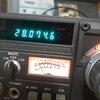
 
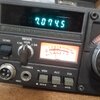
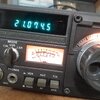
Will yry to attach photos.
17568578722093684547676112967247.jpg
 

Attachments

  • 17568579984625894320813012375677.jpg
    17568579984625894320813012375677.jpg
    1.4 MB · Views: 85
  • 17568580341365161672419067570128.jpg
    17568580341365161672419067570128.jpg
    1.1 MB · Views: 82
  • 17568580658385414210076515926676.jpg
    17568580658385414210076515926676.jpg
    1.5 MB · Views: 79
  • 20250902_170918.mp4
    251.7 MB
  • Like
Reactions: WECSOG
If anyone knows the Kenwood TS 120s
Please any help with the following questions would be highly appreciated.

I recently purchased a 120V and just want to know what VR 2 on the AF Gen board does?

Thank you, Jim.
 
You're working on a TS-120V, you need to keep all your posts together, this keeps all your information together.

No questions are stupid, but questions about VR2 are best answered by yourself..................

It's all in the Service Manual, and you should not be just making adjustments without the Service Manual .......... it's made to answer questions like this and all other adjustments along with voltage readings of that radio.

Apparently you followed the connection from the RF Gain to VR2.............
VR2 is located on page 38 of the "Adjustments" section of the "Service Manual". It's a voltage regulator setting (2.8V), it's the very 2nd adjustment of three voltages regulator settings needed (VR-2 is Item #1.2). It's all there; where, when, and how to adjust it.

You may be chasing your tail with an antenna that is not resonant to the frequency you want to check, because the signal generator is your resonant antenna when making adjustments.

73
 

dxChat
Help Users
  • No one is chatting at the moment.