I've got a 60mhz Oscilloscope and was interested in starting to look at modulation waveforms. I wanted to get more information on how to pick up the signals for AM and SSB.
I've been told to just take some wire and coil it around my coax a couple of inches behind the transmitter. Then connect my probe to the X channel and connect the aligator clips from my probe to each end of the wire that's coiled around the coax.
I'm still learning how to use the oscilloscope but this worked to far and I understand the measuring process for AM.
For SSB you're supposed to see a trapezoid? Do I need to change something in my setup to be able to view the SSB waveform? On the videos I saw online it just looks like a trapezoid and as they increase or decrease modulation it gets bigger or smaller.
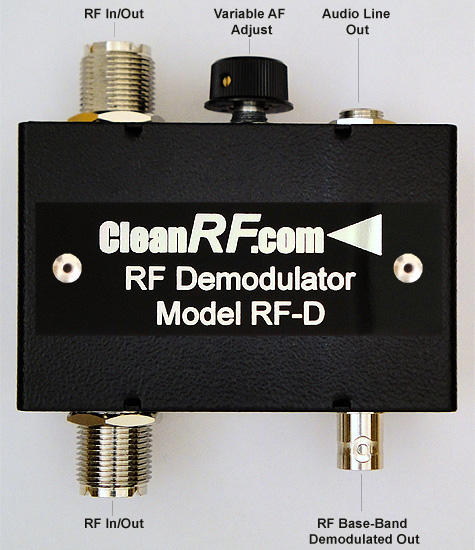
Do I need demodulator equipment or all that stuff or will my wire coiled around the coax work to pick up everything I need to measure?
I suspect doing all this is easier with a tone generator.. can you use a tone generator held up to a microphone - I think I found one online?
I've been told to just take some wire and coil it around my coax a couple of inches behind the transmitter. Then connect my probe to the X channel and connect the aligator clips from my probe to each end of the wire that's coiled around the coax.
I'm still learning how to use the oscilloscope but this worked to far and I understand the measuring process for AM.
For SSB you're supposed to see a trapezoid? Do I need to change something in my setup to be able to view the SSB waveform? On the videos I saw online it just looks like a trapezoid and as they increase or decrease modulation it gets bigger or smaller.
Do I need demodulator equipment or all that stuff or will my wire coiled around the coax work to pick up everything I need to measure?
I suspect doing all this is easier with a tone generator.. can you use a tone generator held up to a microphone - I think I found one online?