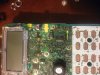
I took a larger picture than what I found on the net to modify the FT-60R for out of band use.
First, take off the battery and belt clip.
Remove the 4 screws on the back, 2 black (toward top) and to slightly larger silver (toward bottom). The clip that holds the batter may fall off so be careful.
You should purchase a spanner wrench to remove the nuts that secure the two knobs on the top of the radio and remove those nuts, you also need to remove the antenna stud, I used a nut driver.
Once you see the front of the radio after taking it apart, you will see the component that needs removed at the arrow in the image below, VERY TINY! I just carefully plucked it off with a dental tool. It will automatically reset the radio so you will lose all your memory settings.
You are responsible for any damage you may cause, you must be aware of legal operation and act accordingly. Proceed at your own risk!
First, take off the battery and belt clip.
Remove the 4 screws on the back, 2 black (toward top) and to slightly larger silver (toward bottom). The clip that holds the batter may fall off so be careful.
You should purchase a spanner wrench to remove the nuts that secure the two knobs on the top of the radio and remove those nuts, you also need to remove the antenna stud, I used a nut driver.
Once you see the front of the radio after taking it apart, you will see the component that needs removed at the arrow in the image below, VERY TINY! I just carefully plucked it off with a dental tool. It will automatically reset the radio so you will lose all your memory settings.
You are responsible for any damage you may cause, you must be aware of legal operation and act accordingly. Proceed at your own risk!