• You can now help support WorldwideDX when you shop on Amazon at no additional cost to you! Simply follow this Shop on Amazon link first and a portion of any purchase is sent to WorldwideDX to help with site costs.

Cobra 2000gtl Unmod and Repair

Mustangtc65

New Member
May 31, 2026
4
2
3
44
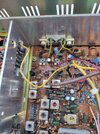
Hello, my name is Ty and I am here for guidance. Few weeks ago I purchased a very nice, ascetically, 200gtl. I am new to electronics, but I am learning and searching multiple forums. Everyday I read and reread threads and things are starting to make more sense. Currently I have a nice multi meter and soldering station. My 2000 has multiple mods. It has echo/talkback board, clarifier unlock, power mod, channel mod, and 4 pin mic. Luckily no wires were cut for the 4 pin mic mod. I was able to remove it and now have the correct 5 pin. there are many wires and components clipped. I have a page full of notes of issues that I see, but want to keep this first post short so not to get overwhelmed. The capacitors look to be original. All are Rubycon brand, light and dark blue. The radio receives great from what I can tell. The first issue I would like to correct, maybe multiple issues causing, is the radio has a constant tone/hum in AM only and the "On Air" light is always lit. It is audible through both speaker and phone jack. Does not increase or decrease with volume. It has a very low transmit. I am barely able to hear transmit on another radio only a few hundred feet away. When I key the mic there is no reading on the meter. Goes to flat 0. Speaking into the mic does move the meter normally. I have removed the echo and talkback board. The tone/hum was there before and after the removal of the board. I would like to remedy these two issues so that the radio is usable while i work through the others. I will do my best to answer questions and post photos the best I can.
Thanks, Ty
 
  • Like
Reactions: Gman and doffo

Um, receiving or transmitting? Or both?

73
Hum/tone goes away when keyed up. The TX "On Air" light is always on. When I key, the receive light goes out and the transmit light gets abit brighter. I was testing the voltages of the IC4 and I noticed TR37, close to the finals, is getting very hot. If the Rubycon capacitors are original i was thinking about getting a KlondikMike kit.

IC4 voltages
1-.99
2-0.0
3-8.32
4-13.74
5-.04 no change when keyed
6-8.31
7-13.75
8-8.31
Thanks, Ty
 
Since pin 2 is the input and pin 7 does nothing per the datasheet, I am going to guess that you have those pin numbers reversed.

Since the mounting tab would be away from the heat sync if installed backwards, I am going to assume it's not in backwards. Maybe check that just to be sure.

If it was just a case pin mis-labeling, recheck (the correct) pin 5 for changes when keying. Lets be sure that part works.

And before you do that, pull the jumpers from the finals so they are not working during this test because that hot bias transistor can (if it hasn't already) do damage to the finals. I assume any damage to the bias pot and diode would have occurred already. Cross that bridge when we get there.

What you should see is pin 5 and 6 go low and 8 go high when keyed. And pin 8 having 1v on it in RX makes me think a bad diode somewhere (or perhaps a bad transistor) is back feeding RX power into the TX side.
 
Last edited:
Since pin 2 is the input and pin 7 does nothing per the datasheet, I am going to guess that you have those pin numbers reversed.

Since the mounting tab would be away from the heat sync if installed backwards, I am going to assume it's not in backwards. Maybe check that just to be sure.

If it was just a case pin mis-labeling, recheck (the correct) pin 5 for changes when keying. Lets be sure that part works.

And before you do that, pull the jumpers from the finals so they are not working during this test because that hot bias transistor can (if it hasn't already) do damage to the finals. I assume any damage to the bias pot and diode would have occurred already. Cross that bridge when we get there.

What you should see is pin 5 and 6 go low and 8 go high when keyed. And pin 8 having 1v on it in RX makes me think a bad diode somewhere (or perhaps a bad transistor) is back feeding RX power into the TX side.
When I looked at the Factory service manual, is looked like the arrow was pointing at pin 1 towards the front of the case. Numbers reversed with keyed.
1-8.31
2-13.75
3-8.31
4-.04
5-13.75 keyed .10
6-8.32 keyed .27
7-0.0
8-.99 keyed 8.35
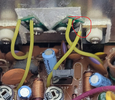
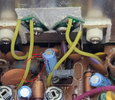
Looks like that would be correct with your explanation. By jumpers, do you mean the purple and yellow wires with the clear tube? If so the yellow wire is cut.

Thanks, Ty
 
Last edited:
Yes. Make sure those two wires are disconnected for now. The yellow wire is the final supply, so if that is cut, leave it that way for now. Disconnect the driver too, it should just unplug. Not sure why someone would cut the yellow wire unless it has no plug on the end.

I suspect damage to the final, its bias circuitry, and possibly the driver too. Someone probably cut that wire just to make the lights come back on.

There are quite a few things to check, but the first thing I am curious about is whether or not disconnecting the driver makes the .99v on pin 8 in RX go down.
 
Yes. Make sure those two wires are disconnected for now. The yellow wire is the final supply, so if that is cut, leave it that way for now. Disconnect the driver too, it should just unplug. Not sure why someone would cut the yellow wire unless it has no plug on the end.

I suspect damage to the final, its bias circuitry, and possibly the driver too. Someone probably cut that wire just to make the lights come back on.

There are quite a few things to check, but the first thing I am curious about is whether or not disconnecting the driver makes the .99v on pin 8 in RX go down.
The yellow wire is completely gone. Unplugged purple wire. still same readings. pin 8-.99, pin 8 keyed-8.35. TR37 still getting hot.

Thanks, Ty
 
Remove and test D49, should be about 1.17v. One leg must be lifted or TR37 removed for this test so the meter doesn't see the transistor juncitons. If that is open, TR37 turns on hard, which turns on TR36 hard. Both of those transistors could have been damaged, and I suspect the final is a dead short and the hot one is stressed at best. I suggest removing both TR36 and TR37 and testing them,
 
the yellow wire is most likely gone because someone volted the final.

this used to be a popular mod and it applies the full 13.8 volts to the final in AM mode. It was done because it could squeeze a few more watts out of the radio, but it came with costs, and imo is just not a good mod.

here is a write up of the mod and if you read through it, it may answer a few more questions you have about weird components you see soldered in "aftermarket" style.


the main thing to look for is that yellow wire is probably soldered to D55 which is a big black diode near the back of the radio towards the right.
it might be soldered somewhere else though.

look for a wire that is connected to TP7 which is just to the right of where the purple wire goes. follow that wire to wherever it goes and unsolder that end.
re solder it to the same place the purple goes, which is right next to C172.

to say this another way, the purple and yellow wires both connect to the same point near C172, and then the purple one goes to TP8 which is for the driver, and the yellow wire goes to TP7 which is for the final.

however, before you do this, you should unsolder the leads of the driver and final and test them to make sure they're good.

if the final is bad, replace it with an HG1969 transistor.
If the driver is bad replace it with a 2SC2166 or an HG2166 (i cant remember if HG makes a 2166).

some pics of the PC board, both sides, that we can zoom into would be very helpful.
LC
 
Last edited:
  • Like
Reactions: brandon7861

dxChat
Help Users
  • No one is chatting at the moment.
  • @ COWBOYS:
    What can I do to make my Denton GLS 1000 amp to load ?
  • @ AudioShockwav:
    Try starting a new thread in the Amplifier section and asking the question, more people will see it to respond.
  • @ iw7ed:
    hello