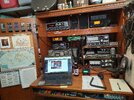
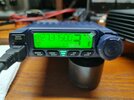
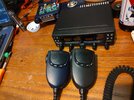
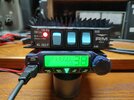
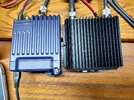
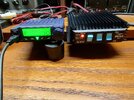
I can confirm the Midland tuning software works on the Luiton LT-310SDR.
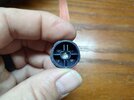
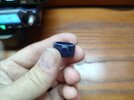
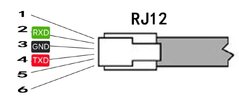
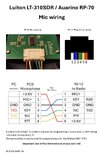
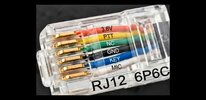
I got my USB-TTL cable from Amazon today, clipped the Dupont connectors off the three wires (TXD-GND-RXD) and crimped them onto a 6 pin modular plug (RJ-12). It works !!!
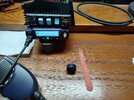
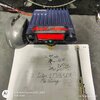
Here is the cable I got…
USB-TTL cable
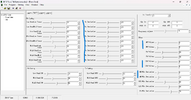
I used the Midland 8001-Pro tuning software (linked above in Shadetree’s post #6) and could adjust deadkey levels for all three power settings, adjust modulation on AM, USB and LSB, and adjust deviation on FM.
And most of all…I could adjust the volume level of all modes, so now volume setting 1 is nice and low

The software did help with the stock mic, but the overall tone is still “stocky”. But you can get a bit more audio out of the stock mic with this software. With my 4 pin mic-adapter cable, the audio out of my Astatic 575 is really good in all modes. You can adjust the parameters for the particular mic you are running. It is not a ‘one setting fits all”.
The software is a bit odd. There are various adjustments for Low Band, Mid Band and High Band. My guess is those are for the various frequency ranges. Mid Band generally refers to the standard 40 channels over in the UK, so I guess there is a frequency range for each of the bands, and you can make adjustments as needed across the entire coverage range of the radio. I only messed with the Mid Band Low Power setting although my dead key settings seemed to carry across the entire range of the radio (mostly).
This is weird…
The software makes the adjustments in real time ! As you adjust deadkey in the software, you can see the adjustment on your meter…so have the radio connected to a meter and dummy load as you do this. The radio does not indicate it is in transmit…but it is transmitting when you make adjustments.
I guess if you have an actual RF test set, this would be cool, but I only have a golden screwdriver, so I had to make the modulation and deviation adjustments in the software, and then swap to my mic and transmit while using a monitor radio. There is a “write to radio” menu setting, so after I got the settings adjusted to my liking, I did write to radio, even though the changes happen when you adjust the parameters. As always…read the radio first and save the factory parameters.
One other thing…not sure what all these settings are for, or how they are applied, but I did find with the stock mic that FM deviation and audio sounded better with a lower setting.
The factory FM deviation was set around 22, but it sounded better down around 8, so cranking everything up to “11” is not the way to do it.