Great. Hoping
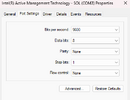
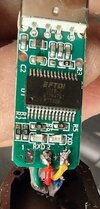
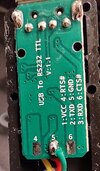
@VE3TMT can jump in with the detail on baud rate etc as he's using the same hardware as you. I would hazard a guess that it should be higher the 9600 though.
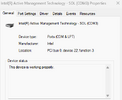
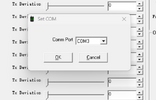
Also COM 10, is that the first available port your hardware has to use? do you have 9 other devices using com ports below that? Some applications even recent ones will have issue with such high com port numbers, I'm not saying it does just that high com port numbers are a known issue with some software even at Win11 (its been like that for years (win7).
use this if you have ghost ports and want to get back down to single figures.
To clear out old, disconnected hardware that is hogging lower COM port numbers, you need to force Windows to show
hidden devices in Device Manager and then uninstall them.
Here is the step-by-step process to free up and reallocate those lower numbers:
Step 1: Reveal and Remove Hidden COM Ports
- Right-click the Start menu and select Device Manager.
- Click on the View menu at the top and select Show hidden devices.
- Scroll down and expand the Ports (COM & LPT) section.
- Any old, disconnected devices will appear faded or translucent.
- Right-click each unused/faded device and select Uninstall device.
- If prompted, check the box that says “Attempt to remove the driver for this device” (only do this for old hardware you no longer plan to use) and click Uninstall.
Step 2: Reallocate to a Lower Number
Once you have cleared out the ghosts, you can move your current device down:
- While still in Device Manager, expand Ports (COM & LPT).
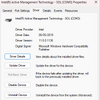
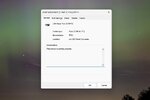
- Right-click the active device you want to change (the one on COM10+) and select Properties.
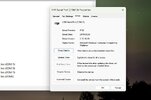
- Go to the Port Settings tab and click the Advanced... button.
- Locate the COM Port Number drop-down menu at the bottom.
- Select an available lower number (e.g., COM2 through COM9).
- Note: If a port still says "in use" even after deleting the hidden devices, it is usually safe to override it as long as that specific device isn't currently plugged into your PC.
- Click OK on both windows to save and apply the changes.
if that doesn't work there are ways via registry but you'd need to research and feel confident about that yourself.